Connect Magento
Connect Magento 2 or Adobe Commerce through an Integration you create in its admin.
Before you start
- A Magento admin account that can create an integration.
- Your store address as it opens in a browser, such as
https://shop.example.com. - A store reachable from the internet. If a firewall limits requests to certain addresses, reach out and we send you Nasam's address to add.
Steps
 In Magento
-
Open «System».
-
Choose «Extensions».
-
Choose «Integrations».
-
Click «Add New Integration».
-
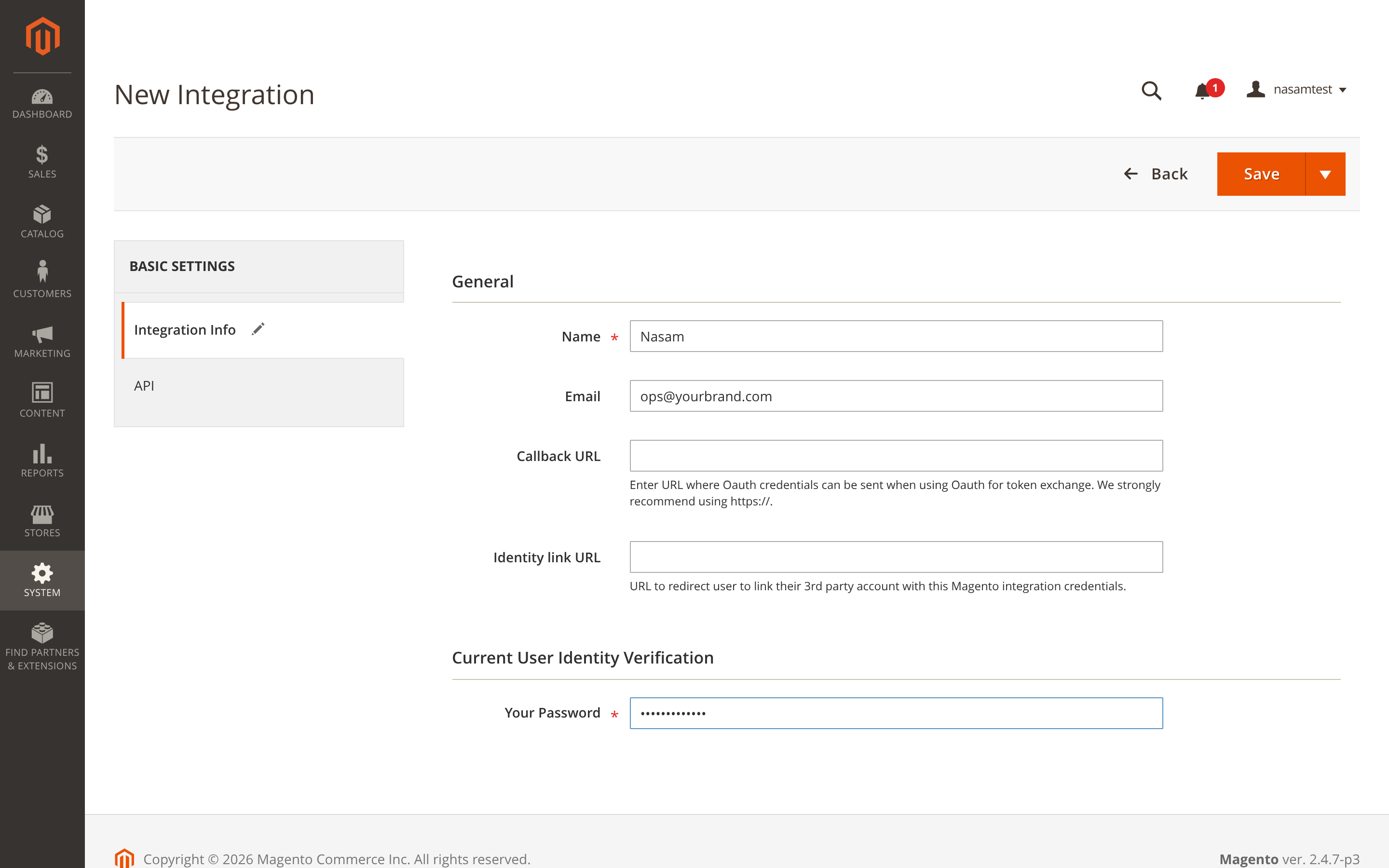
In the «Integration Info» tab, type «Nasam» in Name.
-
Leave Callback URL and Identity link URL empty.
-
Enter your password in Your Password.
-
Open the «API» tab.
-
Choose Custom in Resource Access.
-
Tick these resources:
Section Resources Used for Sales → Operations → Orders → Actions View, Cancel, Ship Reading and cancelling orders Sales → Operations Shipments Shipment tracking numbers Catalog → Inventory Products Products and prices Stores → Inventory Sources, Sales Stock Reading stock Stores → Inventory → Stocks Source to Stock Assigning, Source Item Assigning Writing stock 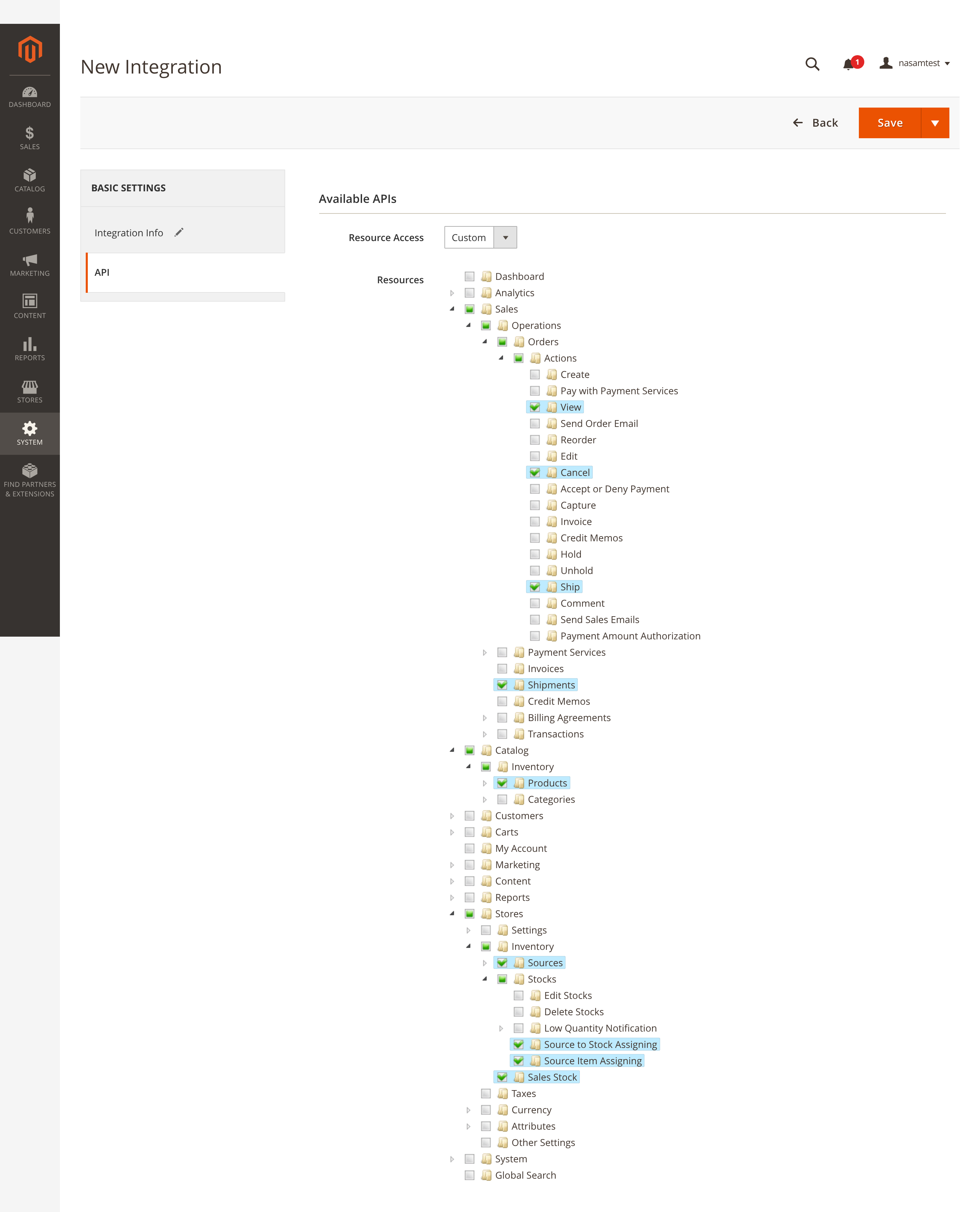
-
From the arrow beside «Save» choose «Save & Activate».
-
Click «Allow».
-
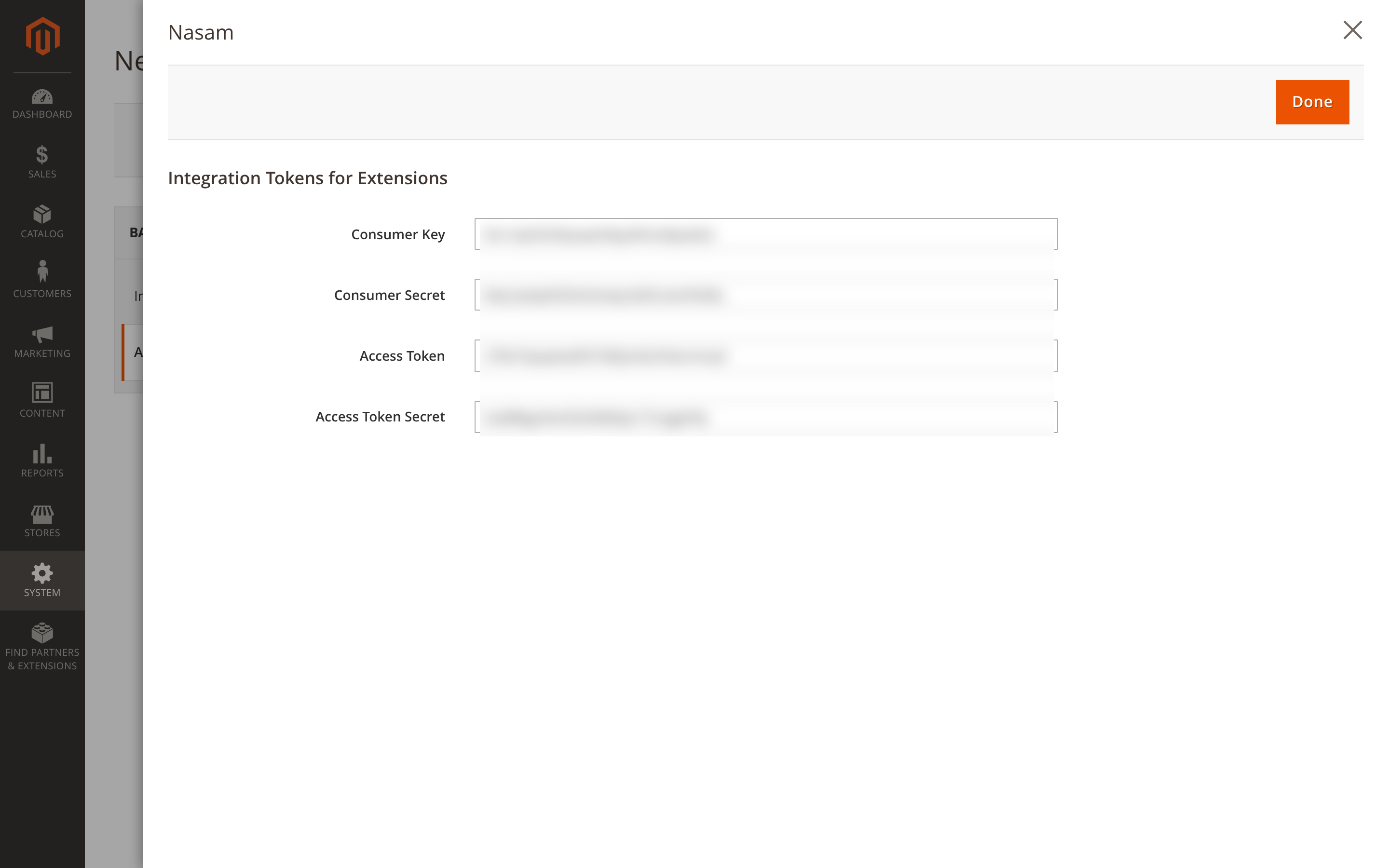
Copy the four values: Consumer Key, Consumer Secret, Access Token and Access Token Secret. Open the integration to see them again.
In Nasam
From «Sales Channels» → «Connect Channel» → Magento, enter «Store address» and the four values, then «Next». Choose how Magento takes part in your stock, then «Connect & Link Products».
Worth knowing
- More than one stock source? Choose the one Nasam reads and writes in «Inventory settings» → «Inventory branch». With none chosen, Nasam writes to the default source.
- No stock for a code Magento has no product for. Nasam refuses it and shows why on the listing.
- Prices. The base price goes to the product's price, and a discount to its Special Price with its start and end dates, for the whole store.
- Cancelling. Cancelling an order from Nasam cancels all of it in Magento unless it's invoiced or you ship it. An order paid online is invoiced at payment, so refund it with a credit memo in Magento.
- Statuses. Complete counts as delivered, Closed as returned.
Common problems
| Message | Fix |
|---|---|
| «We couldn't reach the Magento REST API at this address» | Check the store address. If it is right, a firewall is blocking us: reach out and we send you the address |
| «Magento did not accept these keys» | Check the integration is Active and the four values were copied whole. Reauthorizing changes the values, so connect again with the new ones |
| «The integration is missing a permission» | Open the integration, tick the resources in the table above, save, then connect again |
Next step
The Nasam team is with you, whatever the question: WhatsApp +966 55 009 0039 or general@nasam.co. And we set up your marketplace accounts with you, step by step. The consultation is free.