Connect Jahez
Jahez is a full channel in the Nasam platform: your products sync, its orders reach you alongside the rest, and you manage its discounts from the platform.
Before you start
A user in the Jahez seller portal with access to orders, inventory, pricing, and listings. The platform signs in to the portal with it, so create a user for this and don't use your own sign-in.
Steps
- In the Jahez portal, add a new user and give it access to orders, inventory, pricing, and listings.
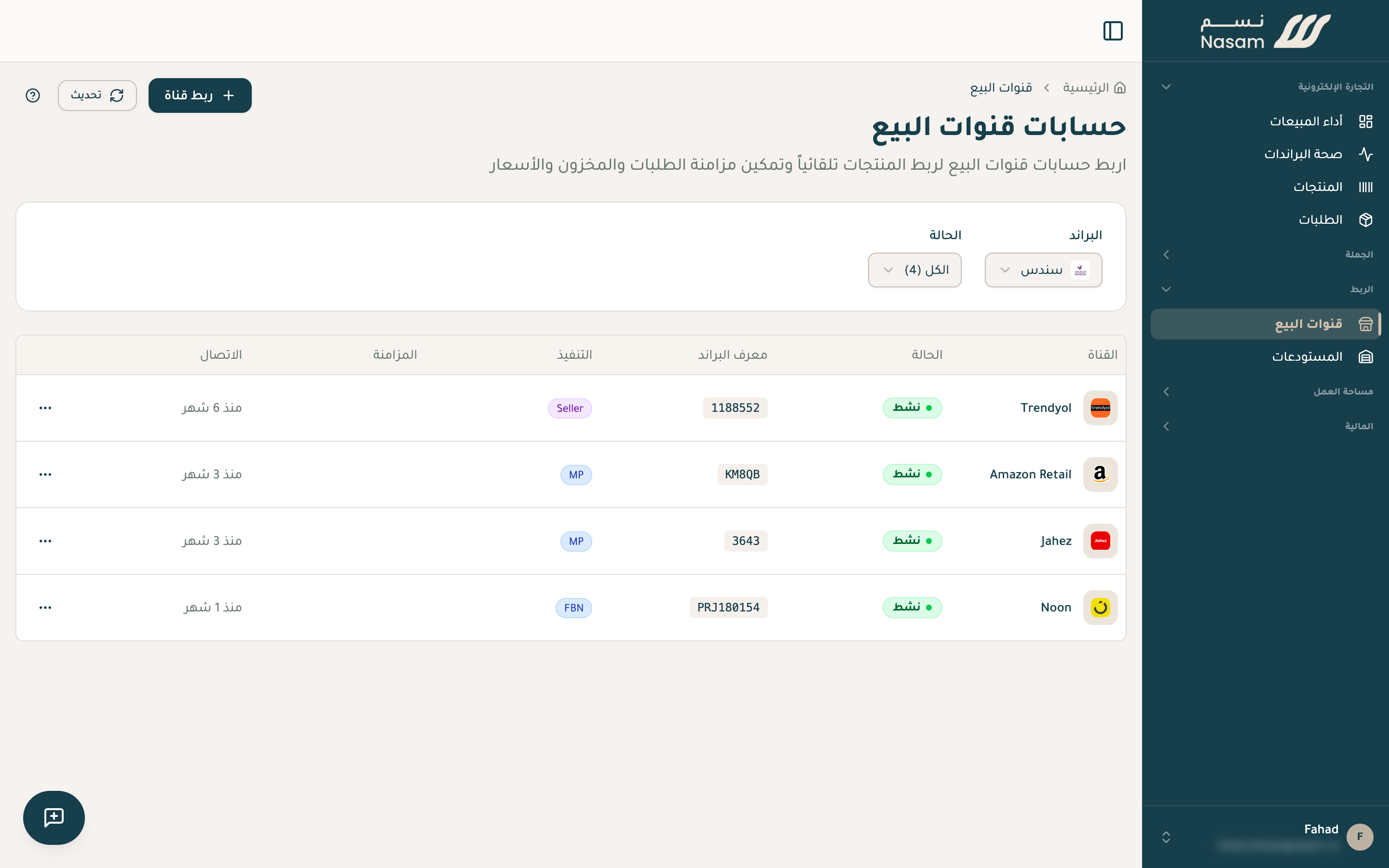
- In the Nasam platform: «Sales channels», then «Connect channel», then Jahez.
- Enter the «Email» and «Password» of the user you created.
- Choose the «Fulfillment Model»: «Marketplace Fulfillment» if Jahez stores your goods in its warehouse and ships them for you, «Seller Fulfillment» if you ship your orders yourself.
- Press «Connect & Link Products». The account connects, and you land on the «Catalog mapping» page.
Prefer the Nasam team to manage this login for you? Reach out and we set it up with you.
After connecting
- Your products are imported from Jahez first, then your order history. The platform matches the products with your other channels and emails you when the matching is ready.
- New orders reach you within minutes: the platform checks Jahez for them every 5 minutes.
- Products you add on Jahez show up in the platform within 6 hours.
- You create and cancel your Jahez discounts from the platform, and every discount needs a start date and an end date.
- On «Marketplace Fulfillment», the Jahez warehouse stock is read from Jahez once a day, read-only, since Jahez manages it.
Common issues
«The seller panel refused the sign-in» on the «Sync Status» page: the user's password changed or the user was removed from the Jahez portal, and Jahez orders stop until you correct it. In «Sales channels», open the actions menu next to the Jahez account, choose «Portal login», and enter the correct email and password.
Your next step
- The SKU rule: your Jahez codes match the codes on your other channels exactly.
- Pricing: scheduled discounts and bulk edits.
- Inventory: when it changes and what syncs.
The Nasam team is with you, whatever the question: WhatsApp +966 55 009 0039 or general@nasam.co. And we set up your marketplace accounts with you, step by step. The consultation is free.