Connect Noon
Before you start
A JSON credentials file from Noon Partners, holding three fields: project_code, key_id, and private_key.
Steps
- In Noon Partners open the «API Users» page and press «Add Service Account».
- Select all roles when creating it, then download the JSON file.
- In the Nasam platform: «Sales channels», then «Connect channel», then Noon. Upload the file, the platform validates the three fields and connects the account.
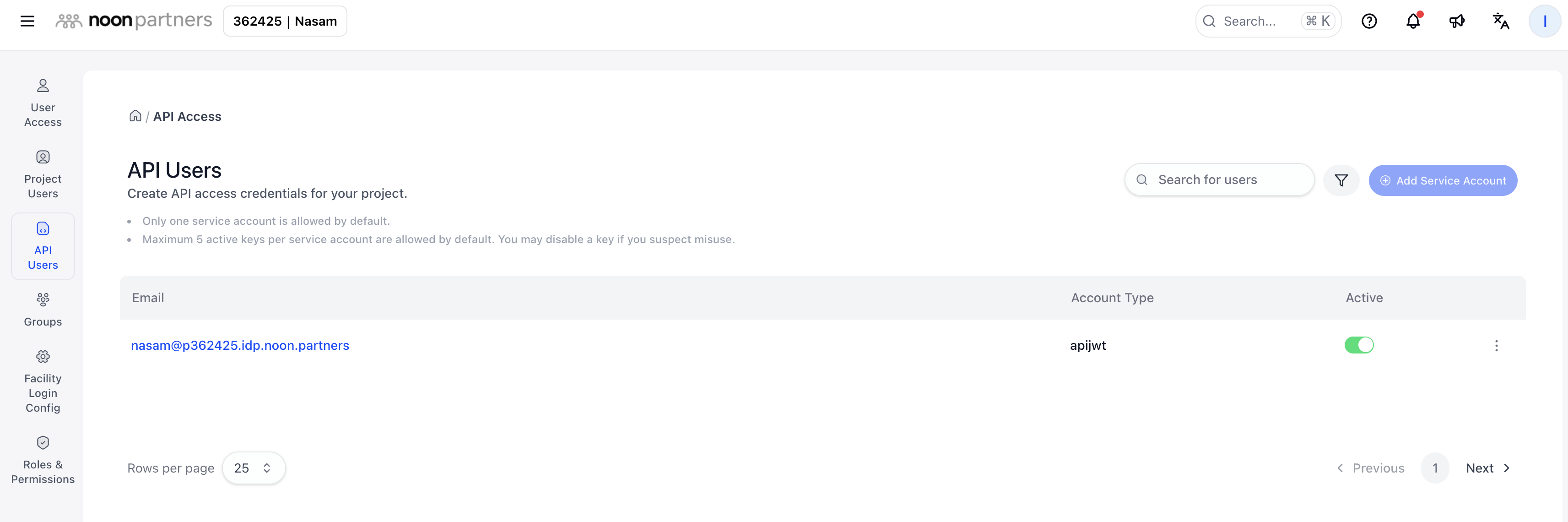
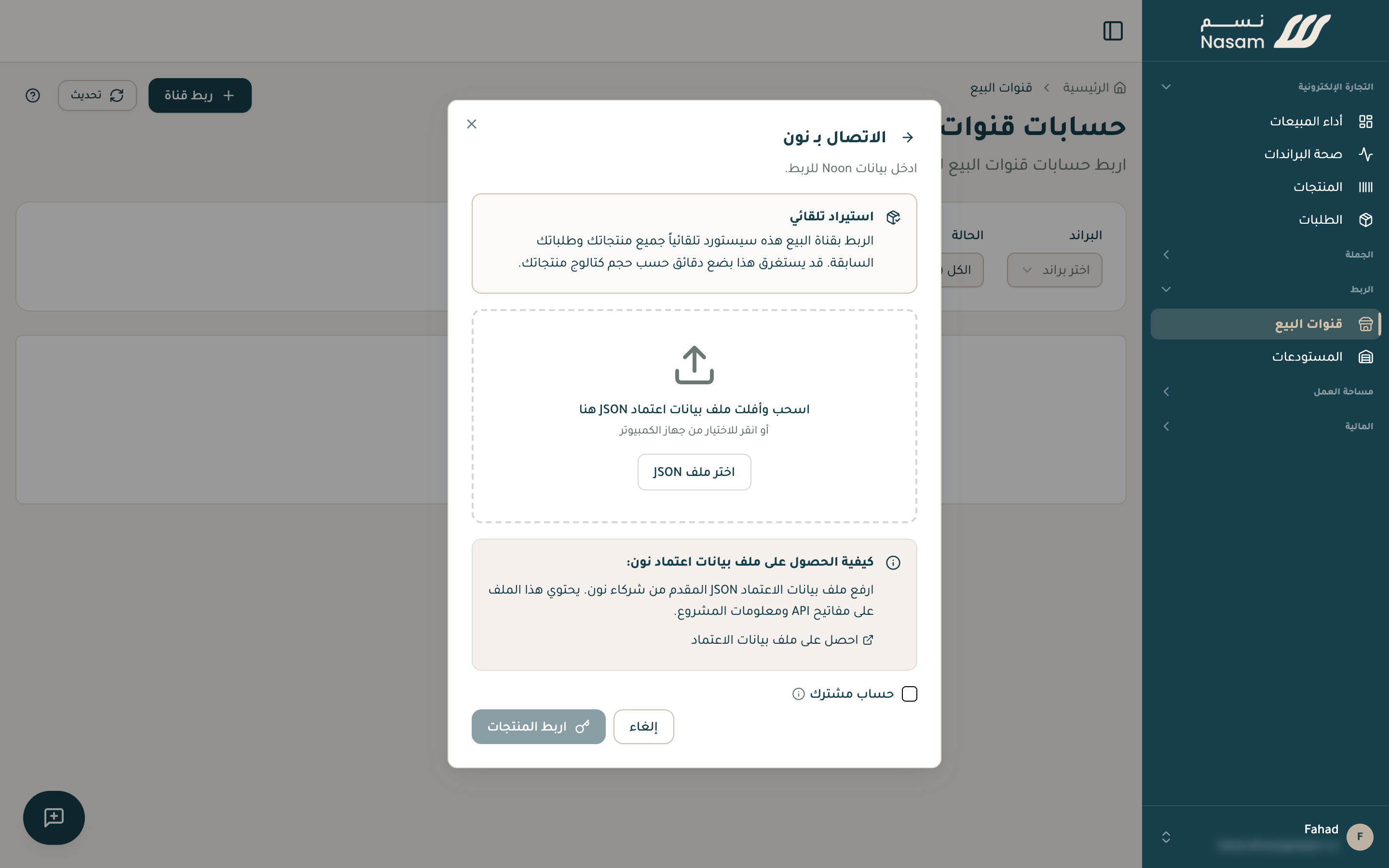
With all roles
Create the service account with every role selected. An account missing roles fails to connect.
After connecting
- Your products import first, ready within minutes.
- Then your order history, which can take up to an hour depending on its size.
- New orders arrive automatically the moment they happen.
FBN stock (what Noon stores in its warehouses and ships for you) is followed directly from Noon, read-only, since Noon manages it.
Ship your Noon orders from your own warehouse (FBM)? Reach out and we set it up with you.
Common issues
«Invalid Noon credentials format»: the file is missing one of the three fields. Create it again with all roles and upload it in full.
Your next step
- The SKU rule: your Noon codes match your Salla codes exactly.
Need a hand?
The Nasam team is with you, whatever the question: WhatsApp +966 55 009 0039 or general@nasam.co. And we set up your marketplace accounts with you, step by step. The consultation is free.