Sync stock across your store, Amazon, Noon and Trendyol
One source, one unified balance across your channels, and it stays accurate. The full walkthrough is in the video; the details are below.

Where does the platform read your stock from?
From a single source: your warehouse connected to Nasam if you have one, otherwise your Salla store. For multi-branch Salla stores, choose the branch it reads from.
Storing with a warehouse provider?
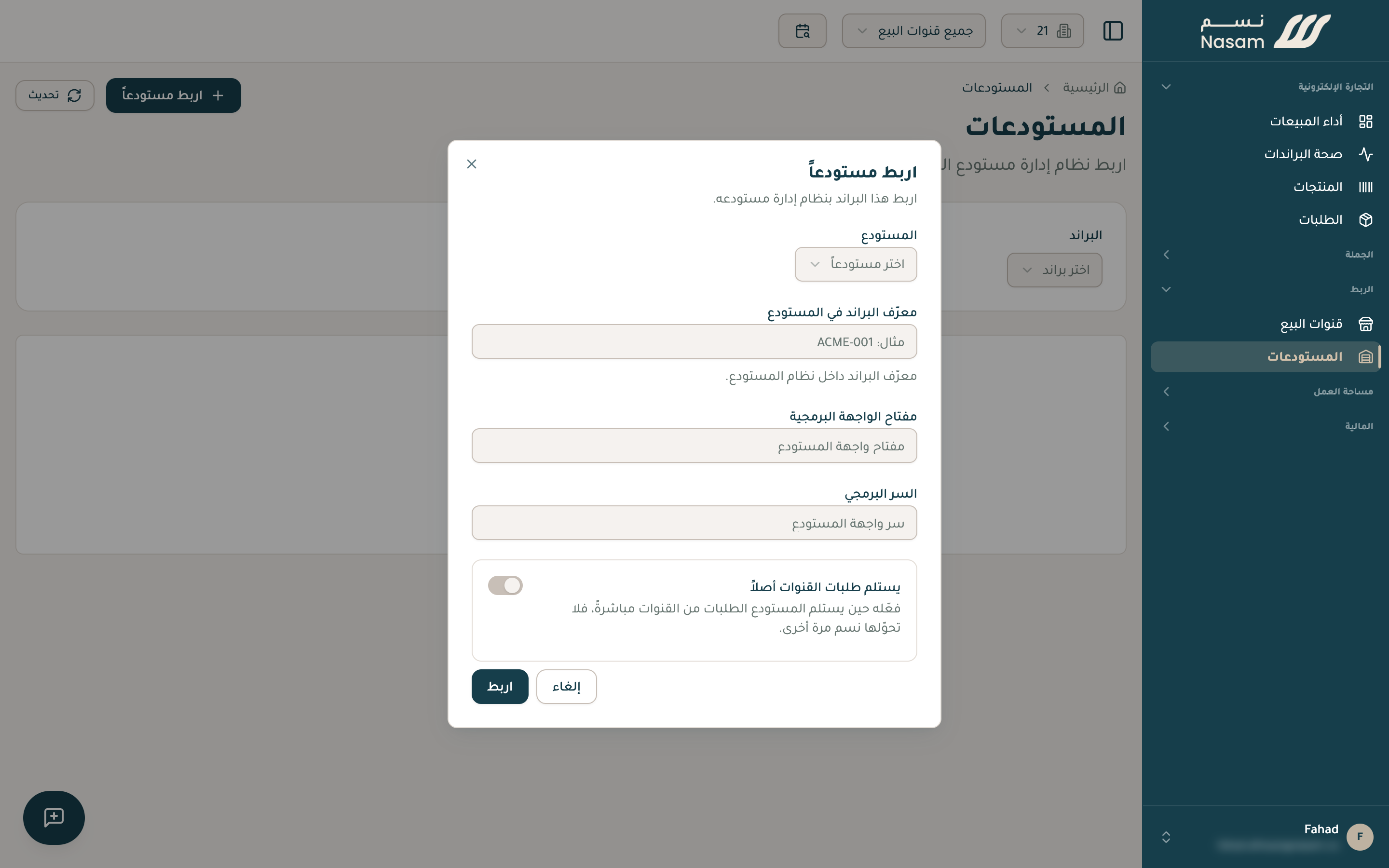
Connect your warehouse from the «Warehouses» page, and the platform reads its quantities directly and builds every channel on them. We currently support DigitalPacks and NetSuite. Using a different provider — Salasa or another? Reach out with its name and we set up the connection.
When does stock change?
- When you edit it yourself in the platform.
- When a new order arrives: it decreases automatically.
- When an order is cancelled or returned: it comes back automatically.
- When you add quantity at your source (your store or warehouse): the platform picks it up within an hour and updates the rest of the channels.
What syncs?
 Salla120
 Amazon120
 Noon120
- What you ship yourself, or Nasam ships for you: its stock is unified across every connected channel, you sell from one pool.
- What the marketplace ships for you: Amazon calls it FBA and Noon calls it FBN (the marketplace stores your goods in its warehouses and ships them itself), and likewise the Jahez warehouse. This stock is followed directly from the marketplace, read-only, since the marketplace manages it.
Ship your noon orders from your own warehouse? Pick «Seller Fulfillment» when you connect Noon; the platform creates your warehouse on noon and sends it your quantities from the unified balance.
Ship your Amazon orders from your own warehouse (FBM)? Reach out and we set it up with you.
And your balance stays accurate: the platform re-syncs it with your source on a regular schedule, so any difference corrects itself.
If a sync fails
Every listing has a sync status and a failure reason if any, and the platform retries automatically. You find them on the products page and the product details page.
Your next step
- The SKU rule: most sync problems start with the codes.
- FAQ: a step-by-step diagnosis of «Why isn't my inventory syncing?»
The Nasam team is with you, whatever the question: WhatsApp +966 55 009 0039 or general@nasam.co. And we set up your marketplace accounts with you, step by step. The consultation is free.